

Sensitive Data
Detect prompt content and record, warn, or block it before submission.
Sensitive Data rules protect information at the employee prompt boundary. Before a supported agent submits a prompt, Gesta checks the content against active organization rules and applies the configured outcome.
Use Sensitive Data rules for:
- credentials and access tokens;
- private keys;
- customer identifiers;
- regulated or confidential data;
- internal data patterns that should not be sent to an AI service;
- organization-specific identifiers or secrets.
Rule outcomes
| Outcome | Employee experience |
|---|---|
| Record | The finding is recorded for review and the prompt continues |
| Warn | The employee is warned about the detected content |
| Block | The prompt is stopped before submission |
Choose the outcome according to the data category, destination, and organization policy. Use Block for content that must not cross the boundary.
Create a Sensitive Data rule
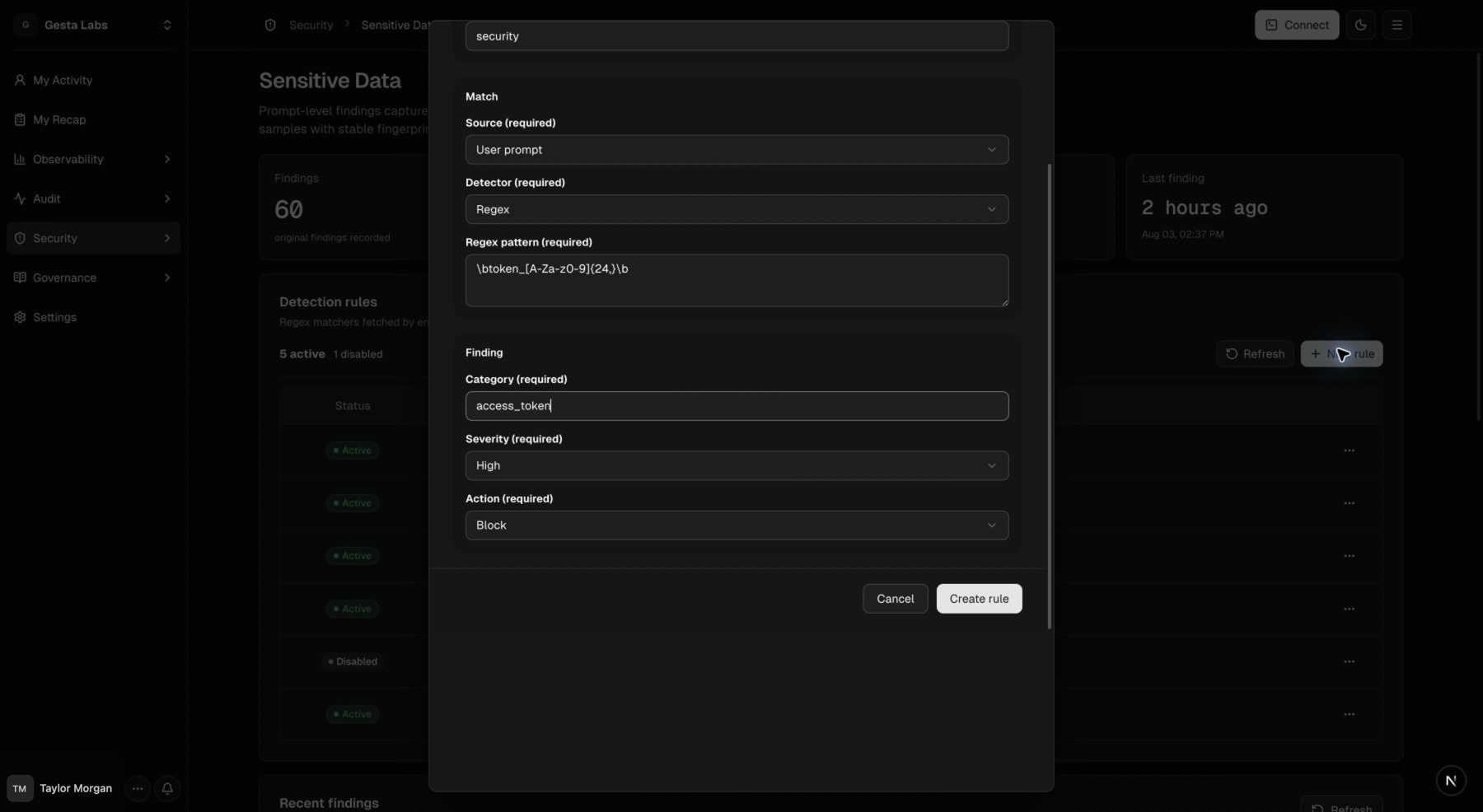
Open Security → Sensitive Data, then select New rule.
Configure:
- Name and Description;
- Status and responsible Owner;
- Source to inspect;
- Detector type and pattern;
- Category and Severity;
- Action: Record, Warn, or Block.
Design the detector
Start with a specific, testable pattern. A detector should identify the organization's sensitive value without matching common source code or ordinary conversation.
Recommended process:
- define the data category and why it needs protection;
- identify a stable format or marker;
- create representative synthetic examples;
- test both matching and non-matching samples;
- begin with Record or Warn when false positives are uncertain;
- review findings before moving to Block.
Do not test with real secrets or customer data.
Review findings
The Sensitive Data page shows rule status, findings, categories, severity, and outcomes. Open a finding to understand:
- which rule matched;
- the employee and agent;
- the prompt source;
- when it occurred;
- which action Gesta applied;
- what audit material is available.
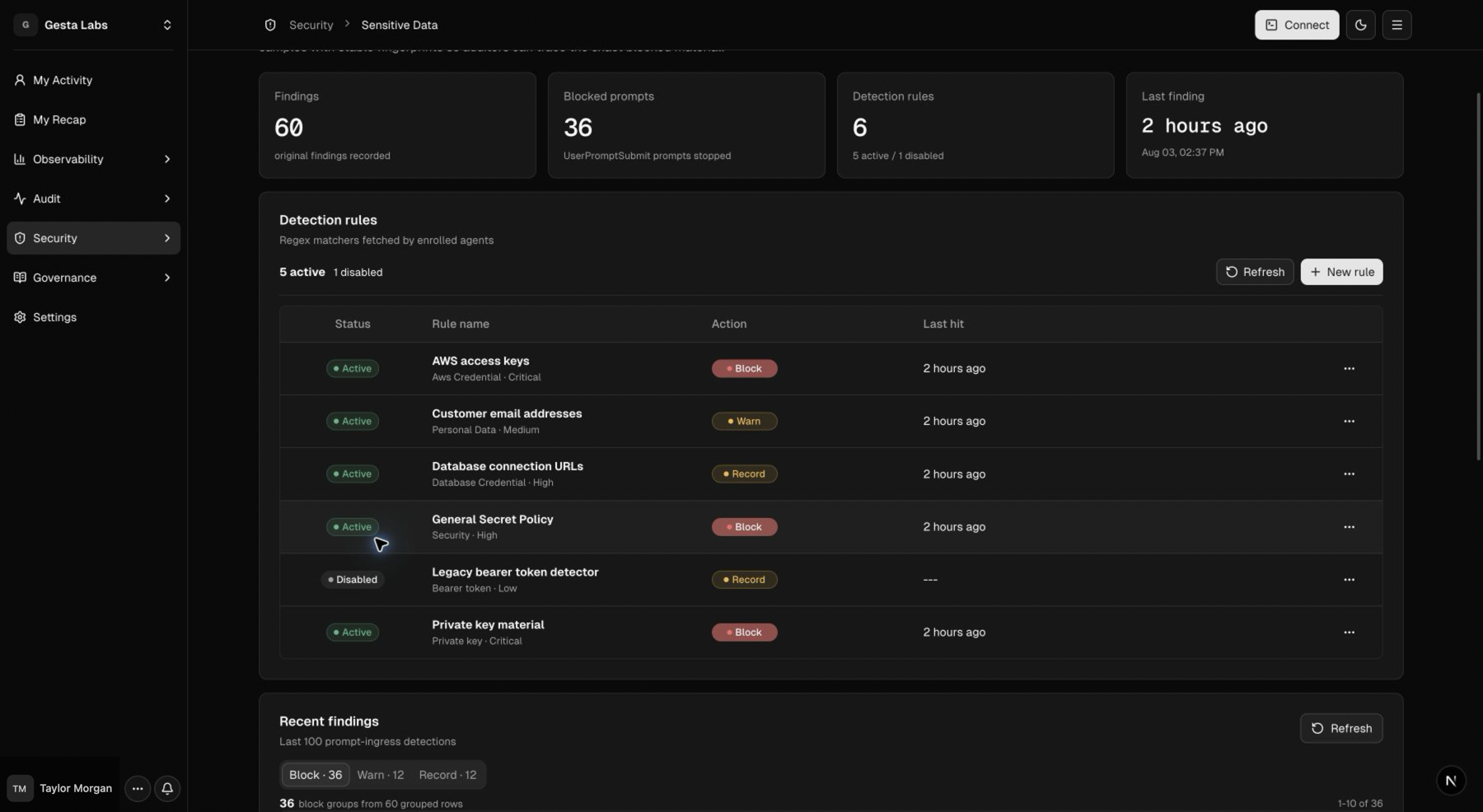
Depending on the finding and organization configuration, audit material may include an original prompt sample or metadata and a stable fingerprint. Limit access to findings and treat exported evidence as sensitive.
Employee experience
When a prompt is blocked, the employee should:
- read the matched rule and category;
- remove or replace the sensitive value;
- use an approved secure reference when available;
- submit the sanitized prompt again;
- contact the rule owner if the match appears incorrect.
A blocked prompt should not be bypassed by changing formatting or splitting the same sensitive value across multiple messages.
Sensitive Data and other controls
- Use Organization Library to explain how employees and agents should handle data.
- Use Sensitive Data to apply a prompt-level Record, Warn, or Block outcome.
- Use Operational Policies for commands that access, copy, or modify protected systems.
See Security and privacy for access, evidence, and retention recommendations.