

Observability overview
Choose the right personal or team view for sessions, recaps, usage, agents, and tools.
Gesta provides separate personal and team views of AI-assisted work. Use My Activity for your own 30-day patterns and Team Activity when an Owner needs to inspect one employee's sessions.
My Activity
My Activity gives each employee a trailing 30-day view of their own work. Use it to review:
- session, token, and spend totals;
- produced code, documentation, tests, and other output;
- model usage over time;
- token mix by work type;
- recent work contexts that can be opened for session detail.
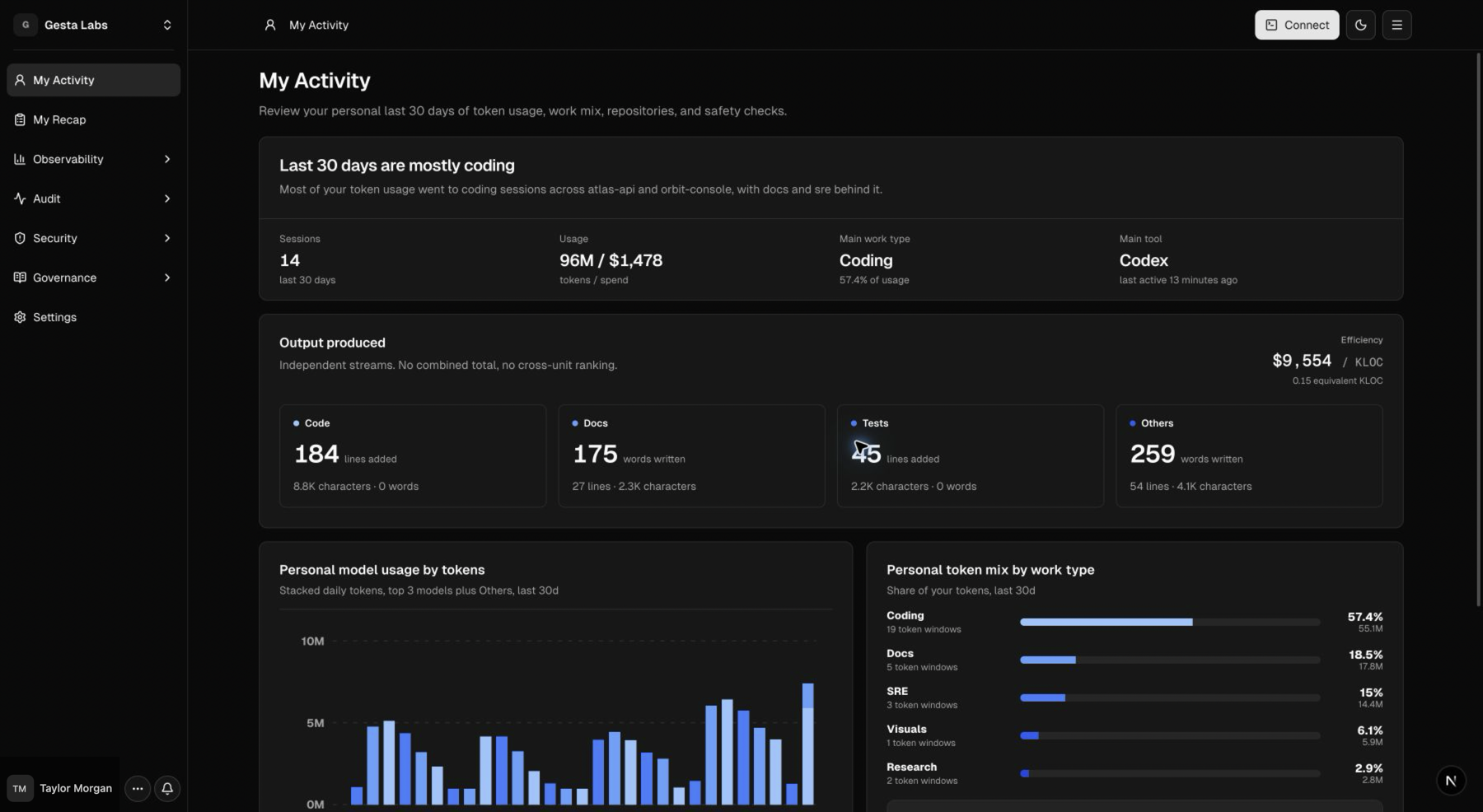
Open a recent work context to review the available session transcript. Treat the record as an aid for understanding work, not as a substitute for checking the final result in the target system.
Team Activity
Owners use Audit → Team Activity to select an employee and review that person's sessions, token usage, safety checks, and evidence.
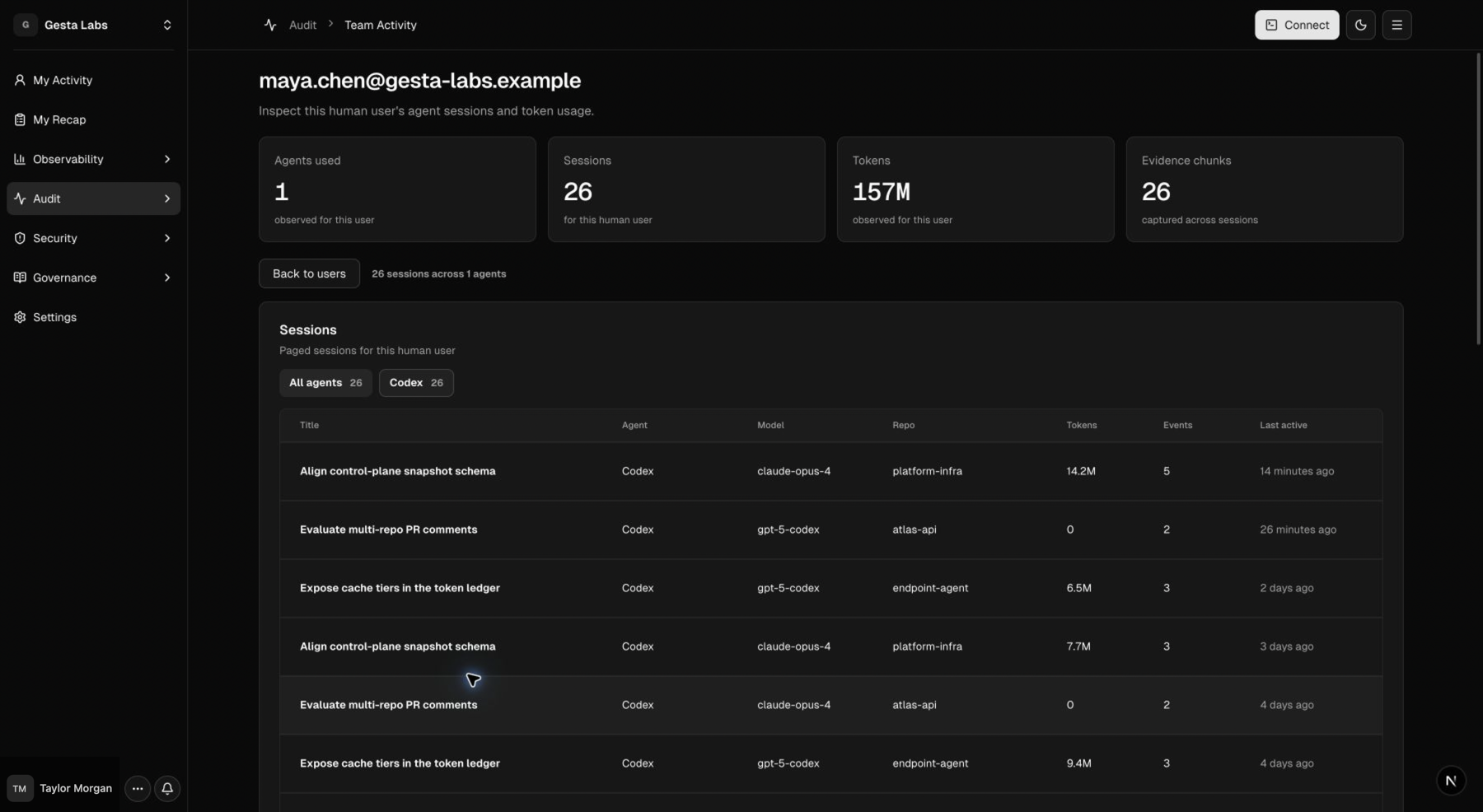
Review access should follow the organization's legitimate operational and audit needs. Avoid using session activity as an unexplained employee performance score.
Other observability views
- My Recap and Team Recap provide outcome-oriented daily summaries. See Understand daily recaps.
- Team Overview shows organization-wide output, adoption, model usage, and governance outcomes. See Gesta overview.
- Agents shows connected machines, ownership, runtime versions, detected integrations, health, latest heartbeat, and recent sessions. See Manage the agent fleet.
- Token Efficiency relates model usage to observed output. See Understand Token Efficiency.
- MCP & tools distinguishes configured MCP servers from observed tool calls. See Review MCP servers and tools.
Data availability
Recent activity may take a short time to appear. Recaps use a separate processing path and can remain empty even when My Activity contains sessions. If data is missing:
- confirm that the machine is connected;
- start or continue a session after installing or updating the runtime;
- check that the employee is signed into the expected organization;
- review Troubleshooting for session ingestion;
- review Understand daily recaps for Recap selection and availability.