

Gesta overview
Learn how Gesta measures, governs, and guides coding-agent work on the machines where it happens.
Gesta puts coding-agent work on the record. It measures what agents produce, governs high-risk actions and prompts before they proceed, and guides agents with the operating knowledge of your organization.
The Gesta runtime runs on the machine where the work happens. Employees continue working in Codex or Claude Code while Gesta applies organization guidance, evaluates configured safeguards, and sends the configured record to the Console for review.
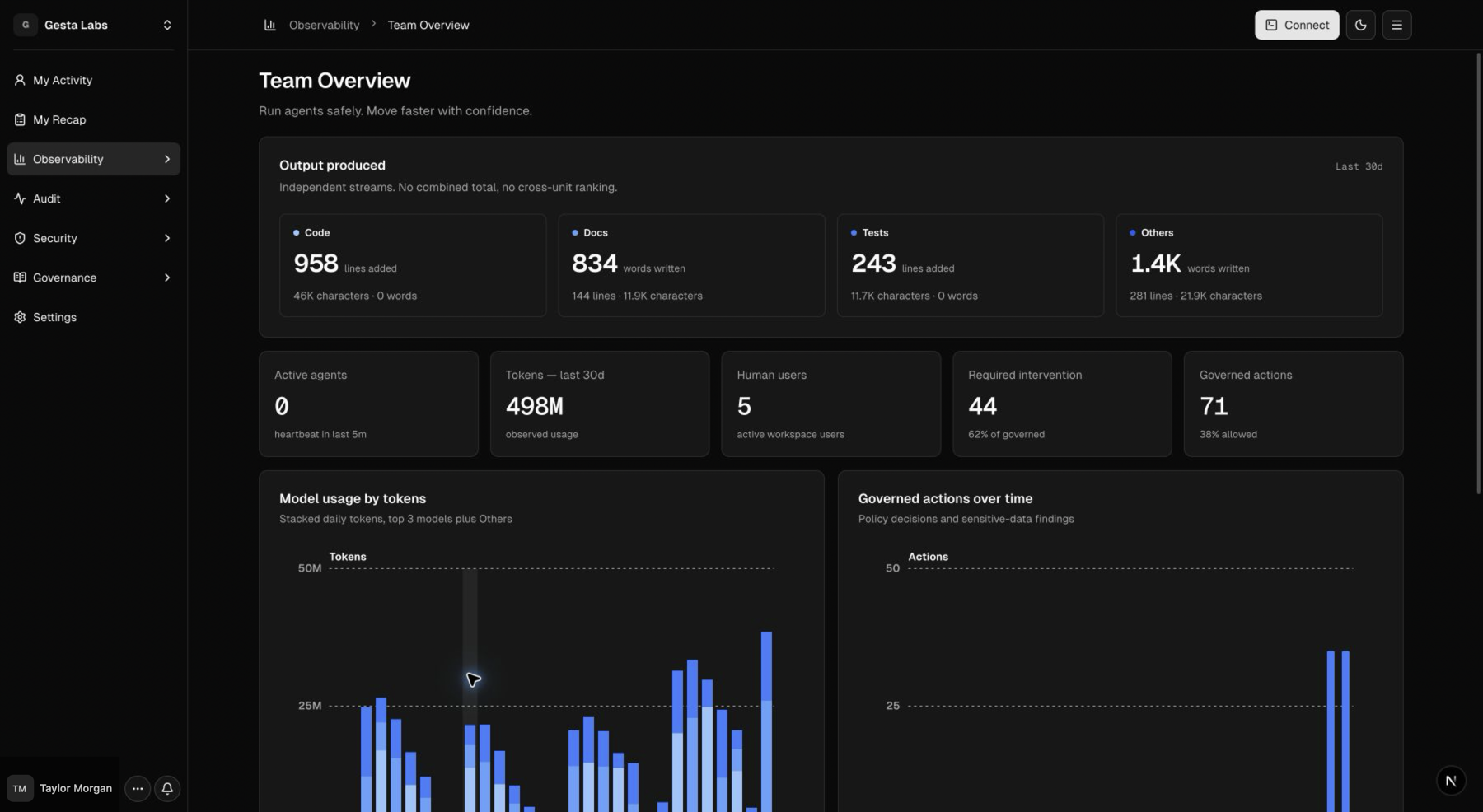
The work and the record
Gesta measures agent-authored output when the agent writes it instead of inferring work from a final file or Git diff. This separates observed code, documentation, tests, and other output from later formatter, generator, or repository changes.
Measuring output does not require source files or complete diffs to leave the machine. The Console receives structured measurements, events, and decisions. Features configured to retain readable session evidence, capture Sensitive Data samples, or generate Recaps can transmit bounded content. Review the exact boundaries in Security and privacy.
What you can do with Gesta
Understand agent activity
See connected agents, employee sessions, model and token usage, repositories, tools, work types, measured output, and available evidence. Employees can review their own 30-day overview and outcome-oriented daily Recap, while organization owners can understand adoption and outcomes across the team.
Give every agent the same organization library
Define company guidance once and deliver it to every enrolled employee agent. Use it for production-change expectations, destructive-operation confirmation, incident communication, engineering standards, data handling, and completion reporting.
Protect high-risk operations
Operational Policies can warn, require approval, or block matched commands before they run. Owners can review recent decisions and respond to pending approval requests from the Console.
Protect sensitive data
Sensitive Data rules inspect prompts before submission. A matching rule can record, warn, or block content based on the organization's requirements.
A typical Gesta workflow
- An employee connects a machine to the organization.
- Organization owners publish Context Rules and protection rules.
- The employee continues working in a supported AI agent.
- Gesta supplies relevant company guidance and evaluates configured safeguards locally.
- Employees and owners review sessions, daily Recaps, decisions, and evidence in the Console.
Choose your path
If you are setting up Gesta
Start with Getting started. You will connect a machine, verify the agent, publish a Context Rule, and review the first activity. When the first setup works, use Roll out Gesta to your team to move from a pilot to broader adoption.
If you are connecting your own machine
Go to Connect an agent for installation, verification, and update instructions. Owners can use Manage the agent fleet to review connection health across the organization.
To review Gesta data or manage supported governance resources from Codex or Claude Code, connect Gesta MCP.
If you are defining company standards
Start with Organization Library, then use Operational Policies and Sensitive Data where stronger safeguards are needed. The Context Rule recipes provide adaptable starting points for common company expectations.
If you are reviewing adoption and usage
Use the Observability overview, Daily Recaps, Token Efficiency, and MCP and tools to understand how employees use agents and where additional guidance may help.
If you want to see common patterns
Open Context Rule recipes for practical examples covering destructive operations, production changes, incidents, sensitive data, access, and external communication.