

Understand daily recaps
Learn how My Recap and Team Recap turn supported session evidence into daily work summaries.
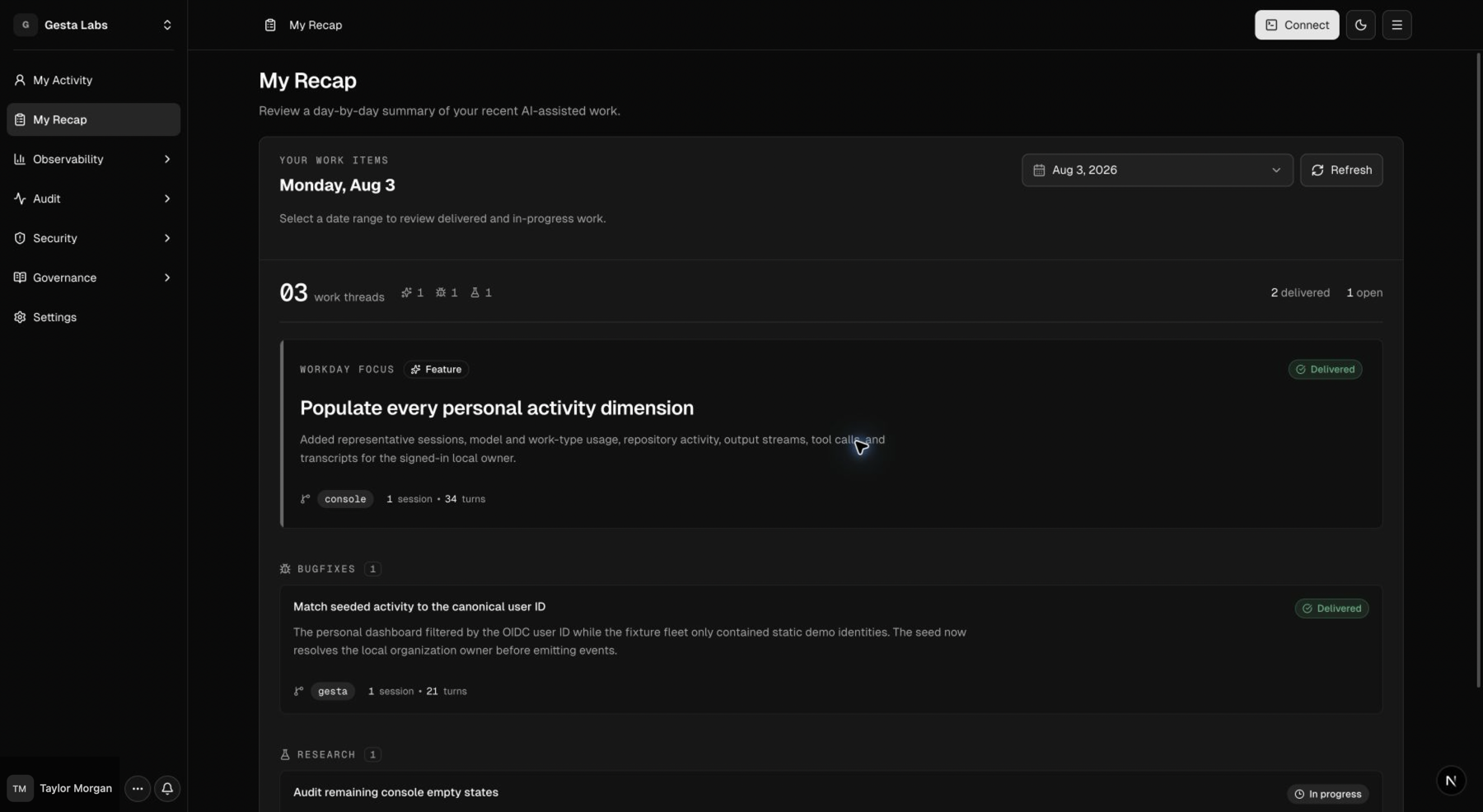
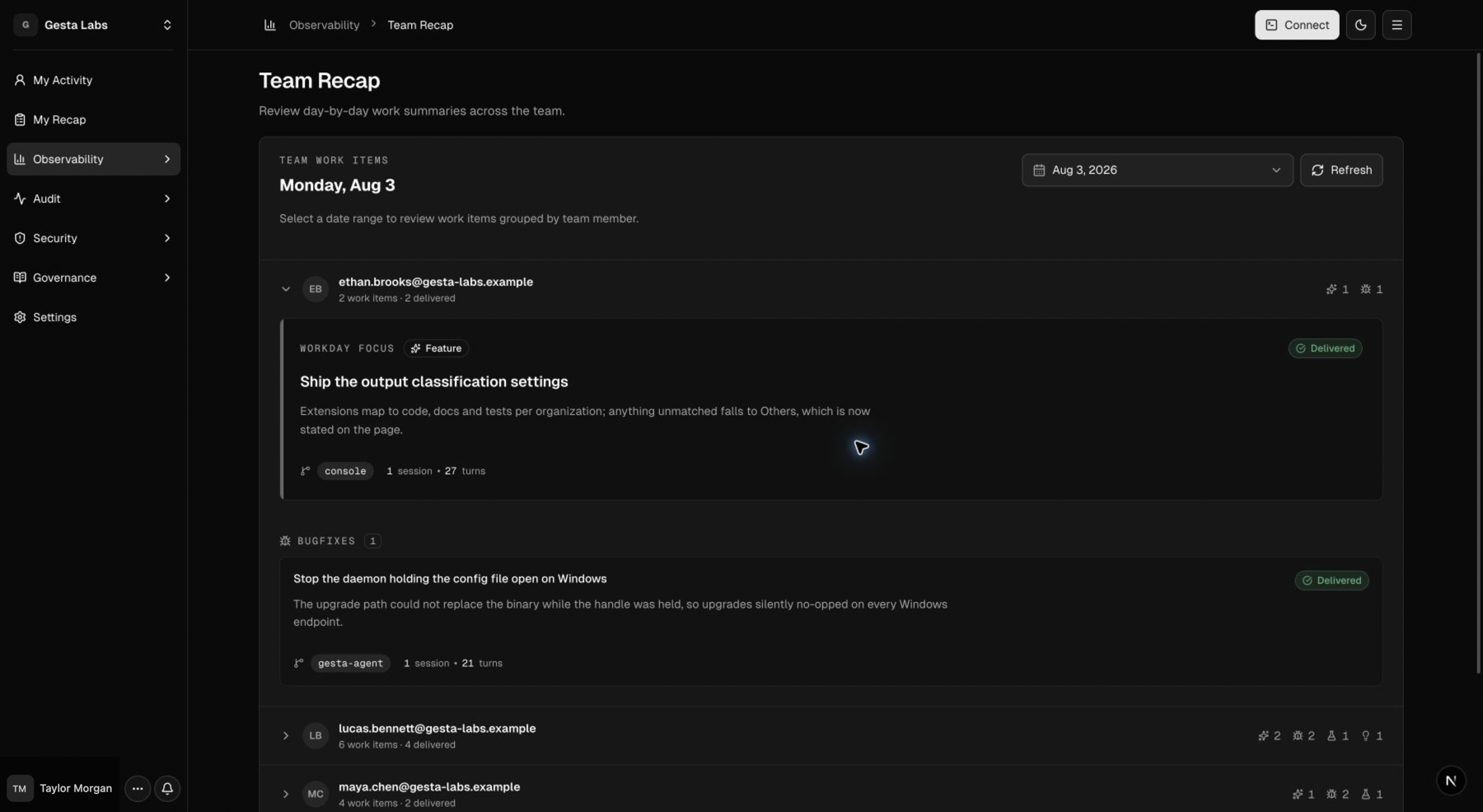
Gesta Recaps summarize material outcomes from supported AI-agent sessions. My Recap is personal. Team Recap gives Owners the same day-by-day view across organization members.
Recaps are generated summaries, not a complete activity ledger. Use My Activity and Team Activity when you need to inspect the underlying sessions.
Personal and team access
- Members and Owners can review their own My Recap.
- Owners can review Observability → Team Recap.
- Team Recap groups work items by employee and local work date.
- Recaps should not be used as an unexplained employee performance score.
When a recap updates
New transcript evidence is coalesced into an hourly processing window. A new or continued outcome can therefore take up to the next processing window to appear. Gesta can update the same work item when later sessions continue the same outcome on the same local date.
After the local date changes, Gesta performs a final date-local reconciliation. Late evidence may update a recent historical date, but an item never moves between local dates.
The Console can display a date range of up to 90 days. Only dates that already have generated recap data appear.
Recap titles and summary points use the dominant language of the source session. Technical product names remain unchanged.
When Recap processing is unavailable in an environment, Recap pages remain empty while My Activity, Team Activity, and the rest of Gesta continue to work.
What becomes a work item
Gesta keeps outcomes supported by session evidence, including:
- delivered features and resolved defects;
- substantive progress toward an unfinished outcome;
- verified deployment or system changes;
- reusable investigation conclusions or diagnosed root causes;
- substantive documents, procedures, and decisions.
Items can be Completed, In progress, or Unknown. Status describes the latest supported outcome state; a quiet period does not by itself mean that work was completed.
Gesta intentionally excludes:
- sessions with two or fewer employee prompts;
- greetings, throwaway demonstrations, and formatting-only work;
- routine checking, release preparation, cleanup, and local maintenance without a durable outcome;
- unsupported completion claims;
- duplicate or superseded attempts that add no distinct result.
For this reason, a session can appear in My Activity without producing a Recap item.
What the summary model receives
Gesta stores readable, redacted user and assistant messages for supported session detail. Before generating a Recap, it reduces that evidence to:
- an employee prompt; and
- the latest final assistant answer that follows it; or
- the latest progress answer when no final answer is available.
Reasoning, tool calls, tool output, system messages, and environment wrappers are excluded. Unknown assistant messages and prompt groups without a selected answer are also excluded.
The compacted prompt-and-answer evidence is sent to the AI endpoint configured for Gesta's summary service. Organizations should include that endpoint in their data-processing and retention review. See Security and privacy.
Existing session history
Recaps use only supported content available after the runtime's initial connection baseline. See Existing session history for the authoritative collection boundary.
If no recap is available
Check the following:
- The machine is connected and reporting recent heartbeats.
- The session started or changed after the Gesta runtime was connected.
- The session contains more than two employee prompts.
- The work produced a material, evidence-backed outcome.
- The next hourly processing window has passed.
- The selected date matches the session's local work date.
If the session is visible but no Recap item appears, this can be an expected materiality decision rather than an ingestion failure. See Troubleshooting.