

Review MCP servers and tools
Understand which external tools agents can see and which tools employees actually use.
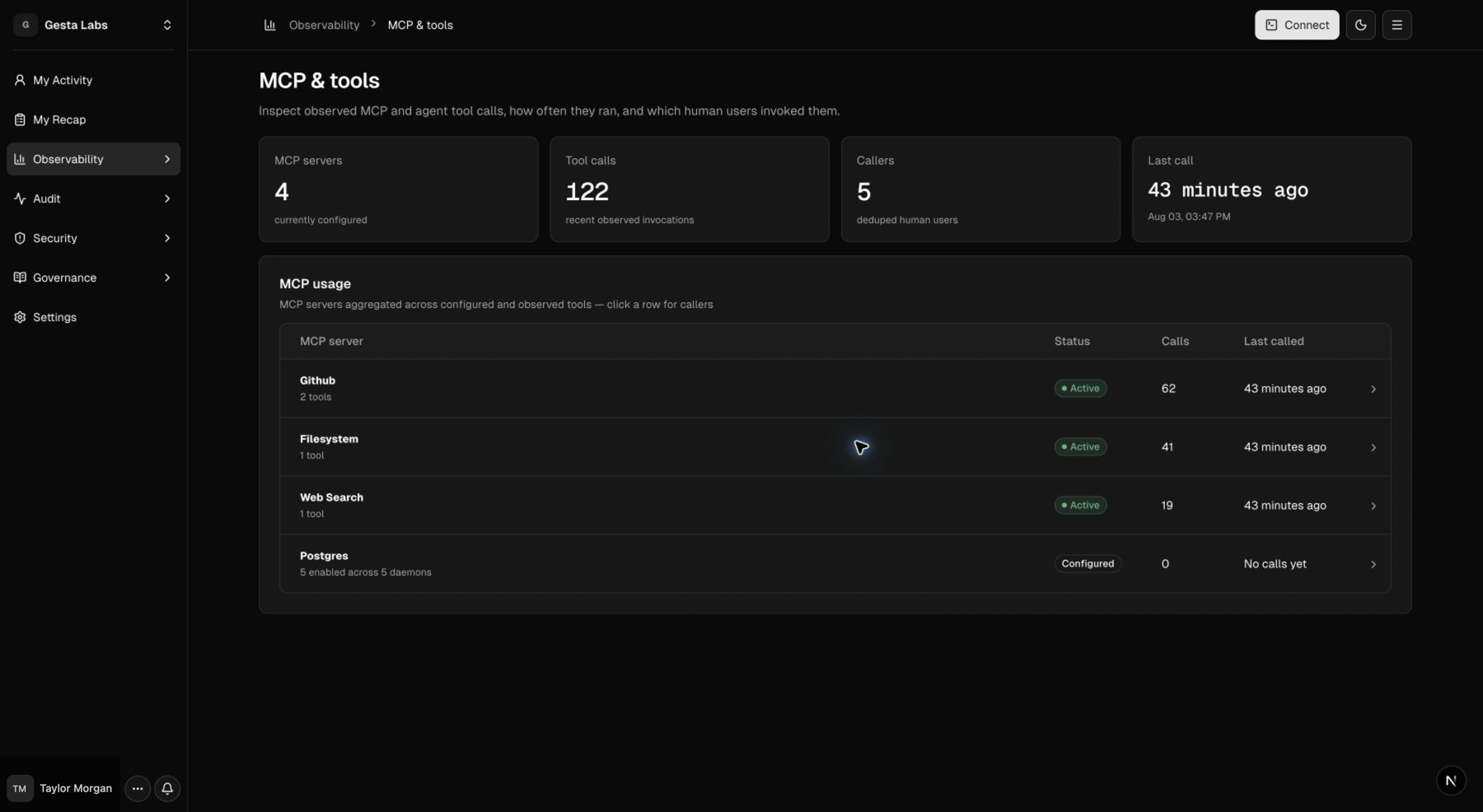
Observability → MCP & tools provides an organization view of MCP servers and tools observed across enrolled agents. Use it to understand the agent tool surface, confirm adoption, and decide where company guidance is needed.
This page observes MCP usage by enrolled agents. To connect the Gesta MCP server to Codex or Claude Code, see Connect Gesta MCP.
What the page shows
The overview summarizes:
- MCP servers discovered in enrolled agent environments;
- tool calls observed during employee sessions;
- employees or agents using a server;
- the latest observed call.
A configured server is not the same as an actively used server. Review both the configuration and call activity before drawing conclusions.
Review a server
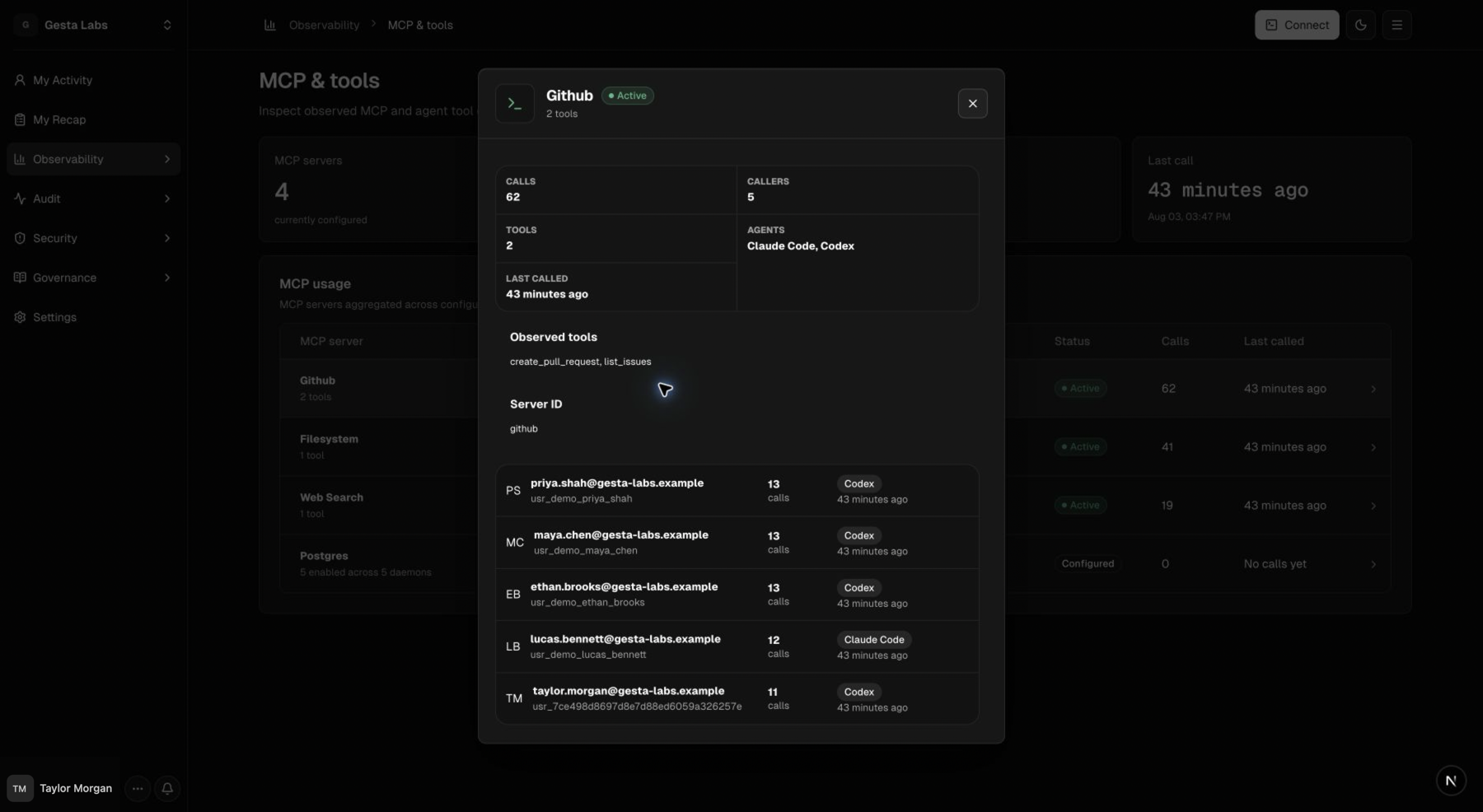
Open a server to understand:
- the tools it exposes;
- total and recent calls;
- employees and agents that called it;
- when it was last used.
Use these details to answer:
- Is this server still in active use?
- Does it access production systems or sensitive data?
- Do employees understand when it should be used?
- Should a Context Rule guide work performed through these tools?
- Can an Operational Policy cover a known command pattern?
Act on what you learn
When a widely used tool supports high-impact work, add focused company guidance for its common scenarios. When a tool can execute a stable, identifiable command pattern, consider an Operational Policy.
When a server handles credentials or regulated data, review Sensitive Data and the organization's approved data handling requirements.
Do not treat a call count alone as a risk score. Consider the tool's capability, the target system, the employee's task, and the safeguards already in place.
Troubleshoot missing tools
If an expected server or call is missing:
- confirm that the employee machine is connected;
- confirm that the integration is configured in the supported agent;
- start a new session and use the tool once in a safe task;
- check the machine's latest heartbeat and recent session;
- allow a short period for recent activity to appear.
See Manage the agent fleet for machine-level checks.