

Organization settings
Manage the organization profile, runtime controls, output classification, and model pricing.
Owners use Settings to maintain organization-wide configuration. Review changes before saving because they can affect every enrolled employee.
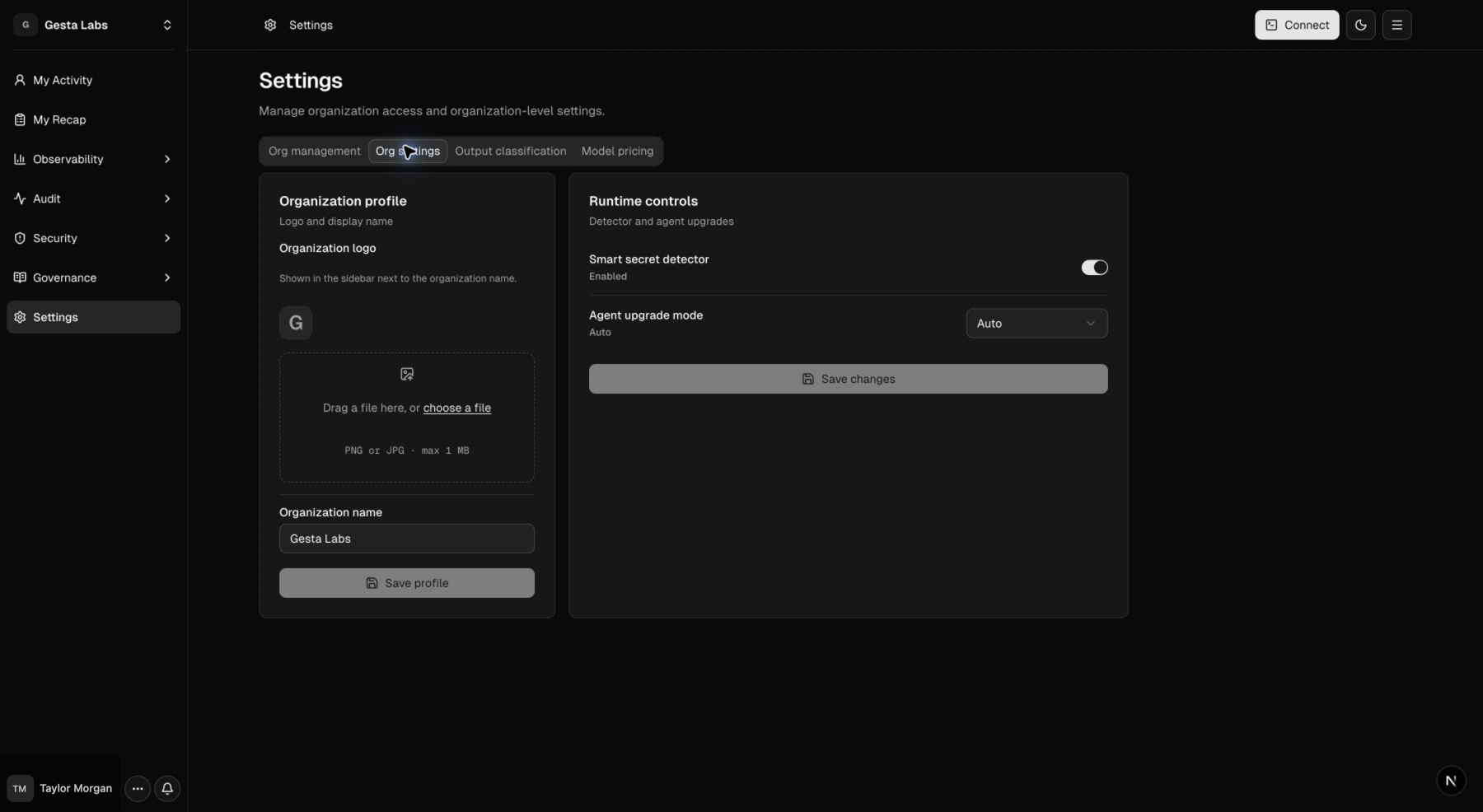
Organization profile
Use Org settings to set the display name employees see in the Console. Choose a recognizable company or team name, especially when employees belong to more than one environment.
Smart secret detector
The Smart secret detector helps identify likely secrets in prompts. Enable it when the organization wants a broad detection baseline in addition to its explicit Sensitive Data rules.
After changing the setting, test with synthetic data that resembles the expected format. Never use a real credential for testing.
For known company-specific patterns and outcomes, configure Sensitive Data.
Agent upgrade mode
Choose how enrolled machines respond when a new runtime version is available:
| Mode | Employee experience | Use when |
|---|---|---|
| Off | The runtime ignores organization-directed upgrades | Updates are managed through another process |
| Notify | The runtime reports that an update is available without applying it | Owners or employees coordinate the update |
| Auto | The runtime attempts to download, verify, and apply a newer supported release | The organization wants low-touch maintenance |
| Required | The runtime attempts the same automatic update and records the policy as required | The organization wants to distinguish mandatory rollout intent |
Start with Notify during a pilot. Confirm that updates work across the organization's supported platforms before choosing a stronger mode.
Required currently does not block agent work when an update cannot be applied.
The runtime records the failure and retries later. Use the Agents page to verify
the installed version and investigate machines that remain behind.
Output classification
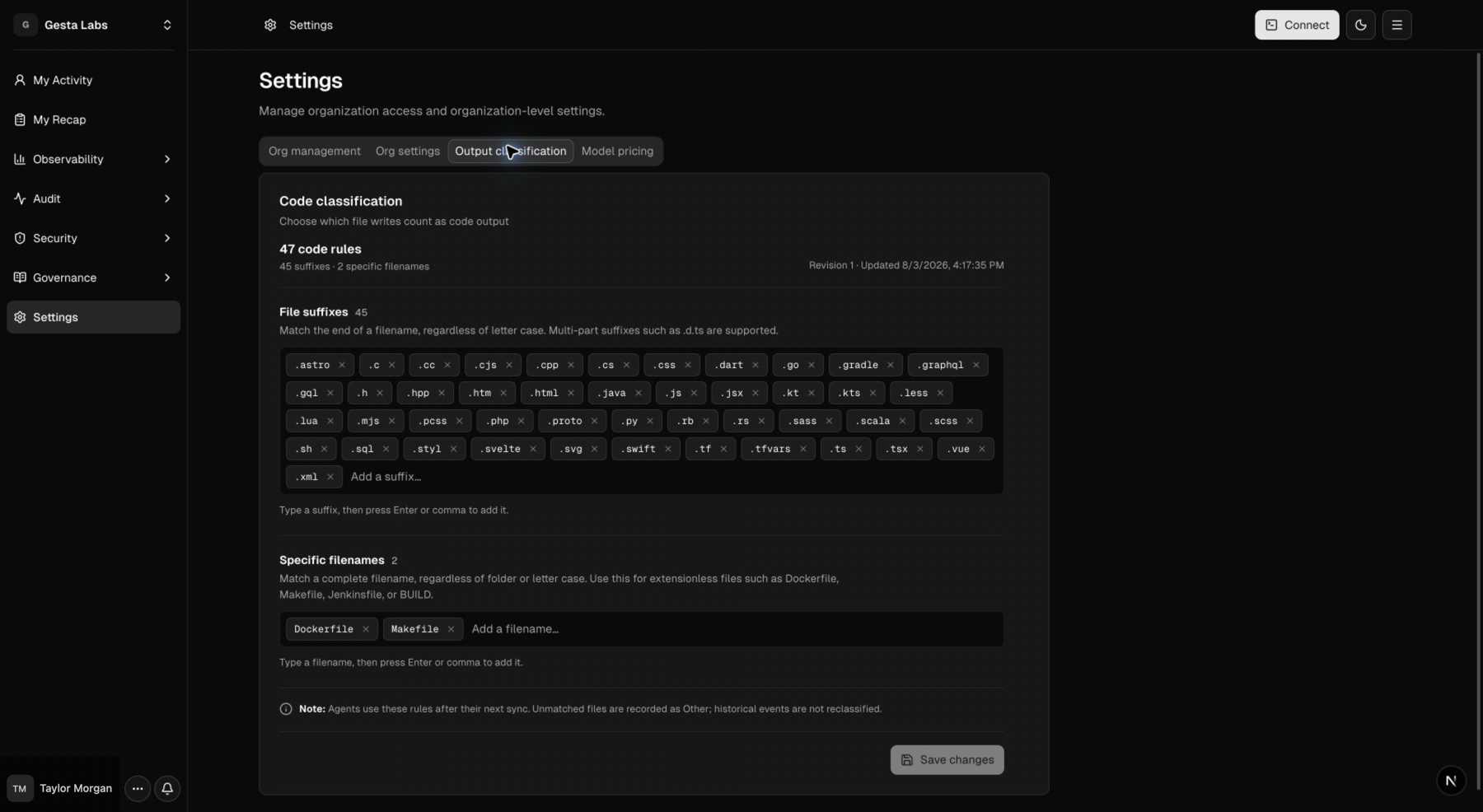
Use Settings → Output classification to define which successful file writes count as code output in Gesta metrics.
- File suffixes match the end of a filename without regard to letter case.
Multi-part suffixes such as
.d.tsare supported. - Specific filenames match the complete filename without regard to folder
or letter case. Use these for extensionless files such as
Dockerfile,Makefile,Jenkinsfile, orBUILD.
Unmatched files are classified as Other. Agents receive changes after their next settings synchronization. Historical output events are not reclassified.
Model pricing
Use Settings → Model pricing to maintain rates used in usage and cost views. Rates are recorded in USD per one million tokens and can have an effective date.
When adding or changing a rate:
- confirm the exact model identifier;
- enter input and output rates in the displayed units;
- set the date when the rate becomes effective;
- review the previous pricing history;
- save and verify the resulting cost view.
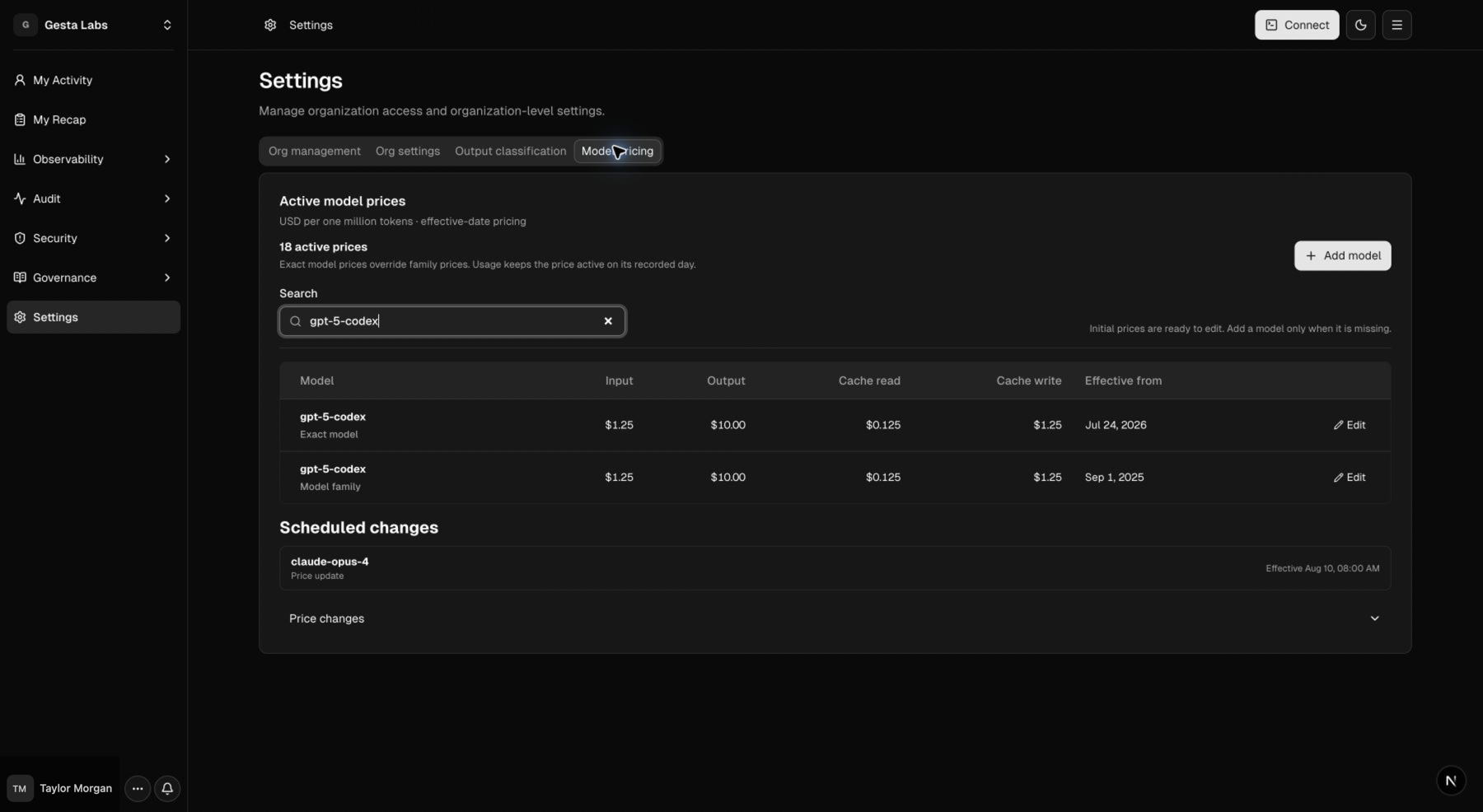
Selecting Add model or editing an existing row opens the real model-price drawer. Confirm the model key, rates, and effective date there before saving.
Do not overwrite historical rates simply to reflect a new price. Use an effective date so past and future usage can be interpreted correctly.
Change-management checklist
Before an organization-wide change:
- identify the employees and machines affected;
- record the previous setting;
- test the change with a pilot group where possible;
- tell employees what experience will change;
- verify activity after the change;
- define how to revert if the result is unexpected.
Member invitations and roles are managed separately in Manage members and roles.